
Renaming Entities Project-Wide with find, grep, sed, and rename
There are times in software projects when a big shift happens in domain representation. This results in changes of project structure, class responsibilities, and occasionally, requires bulk renames of entities across the whole codebase.
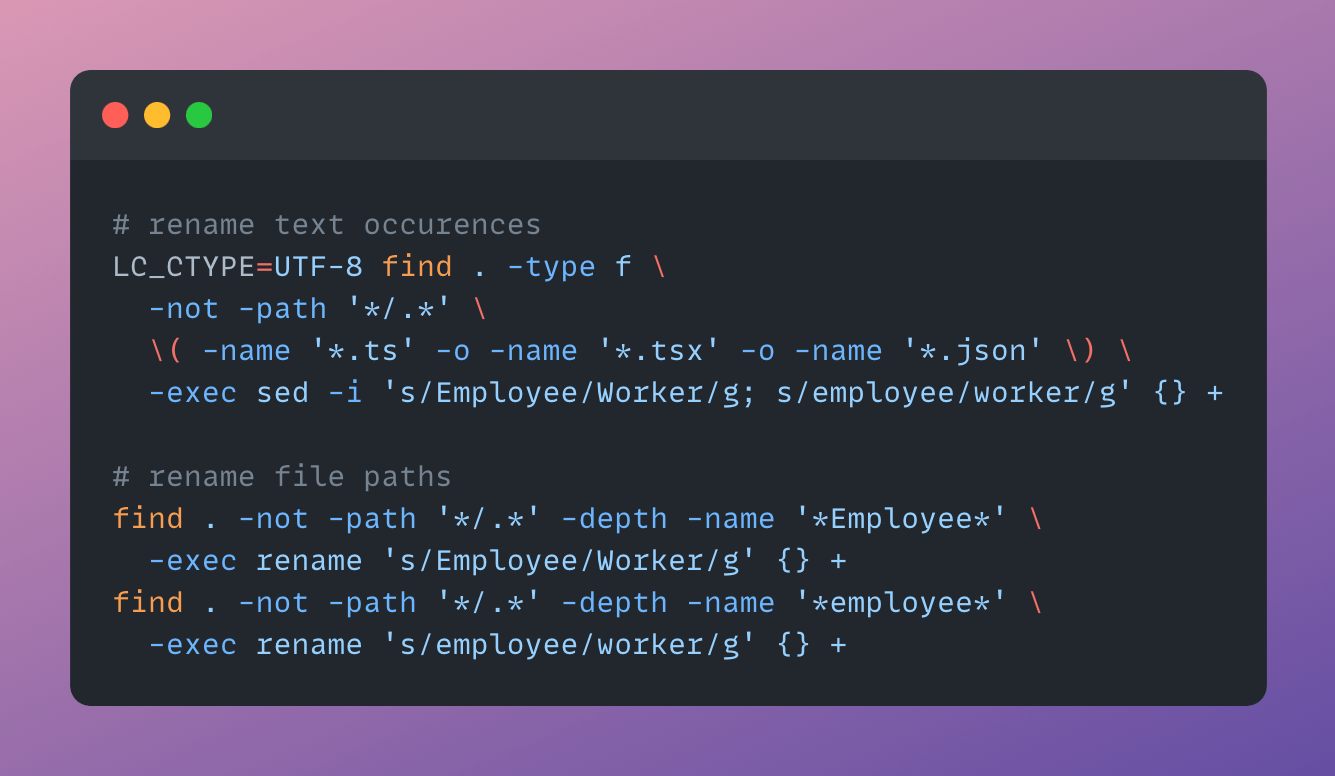
Imagine we need to rename every Employee to Worker. This change should affect both file paths and textual occurrences throughout the project.
Renaming may sound like a simple problem: assuming there are no external dependencies using the target name, we just need to rename all occurrences of it inside a repository. But there multiple caveats:
- We must rename both file names and folder names.
- We must rename all code and text occurrences.
- Casing must be preserved: Employee → Worker, and employee → worker.
- Both plain and compound usages must be properly renamed: createEmployee → createWorker.
- Non-code, non-document files must not be affected (consider binary files which by coincidence might have an ...employee... fragment inside).
- There are folders or files which we would want to omit from renaming (e. g., .git).
- No IDE provides such functionality, so we cannot rely on existing solutions.
I will address all these challenges in a solution below, but there is an important complexity that cannot be tackled with automation. If by any chance your code depends on a library with the target name (e. g., employee.js) or uses exports from a library containing the target name (import type { valuableEmployeee } from ‘employee-js’), you’ll have to resolve issues manually after renaming.
Reviewing Expected Changes
First, remove any folders and files that are recreated during project builds or setup: build/, dist/, node_modules/, .storybook-static/, etc. This step isn’t strictly necessary, but it can help iterate faster if commands encounter errors.
Now, let’s start with renaming text occurrences by listing all files that might get affected with find command. Here I am using -iname for case-insensitive search and `-not -path ‘
find . -not -path '*/.*' -not -path 'src/protected' -iname '*employee*'Revise the output: make sure it does not contain folders or files you do not want to be changed.
Then, let’s see which text occurrences inside our files will be affected. Same approach: case-insensitive search in all files, excluding protected directories or files.
grep -RIn -i --exclude-dir='*/.*' --exclude-dir='src/protected' 'employee' .In the output you’ll see all lines containing the target name. Revise all them carefully: if you want to protect some names from changes, you might want to add file names to exclusion, or rename such occurrences manually to some special value (e. g. em#plo#yee), so you can revert it later.
Renaming Text Occurences
Now we can rename all text occurrences, handling separately each casing. It will require some sed magic:
LC_CTYPE=UTF-8 find . -type f \
  -not -path '*/.*' \
  \( -name '*.ts' -o -name '*.tsx' -o -name '*.js' -o -name '*.json' \) \
  -exec sed -i 's/Employee/Worker/g; s/employee/worker/g' {} +
There are two important points here. First, LC_CTYPE=UTF-8 allows us to treat all file characters as UTF-8, even if the situation is different. Without it, sed stops when encounters non-UTF-8 characters. Second, we use -o -name ‘*.ext’ syntax to list file extensions to be affected. This prevents accidental changes of binary or image file contents.
Renaming Paths
Hopefully, file content renaming finished successfully. From here we will proceed with renaming of file and folder names. For this we will use rename command ingesting find output:
find . -not -path '*/.*' -depth -name '*Employee*' \
  -exec rename 's/Employee/Worker/g' {} +
find . -not -path '*/.*' -depth -name '*employee*' \
  -exec rename 's/employee/worker/g' {} +
These commands might produce warnings. If you have file paths that include multiple occurrences of the target name, the renames will be performed only for the first one, so you will have to run the commands multiple times until the paths are fully renamed.
And that’s it! ✨
If you created any specially-renamed entities, rename them back manually. Then run git add and git commit — git should detect all path renames automatically.