
How to Add Version Control Info to zsh Prompt
MacOS default shell, zsh, comes with a neat version control system integration. It works not only with git, but also with svn, mercurial, and many others! The capabilities are quite extensive — you can see yourself in zsh manual.
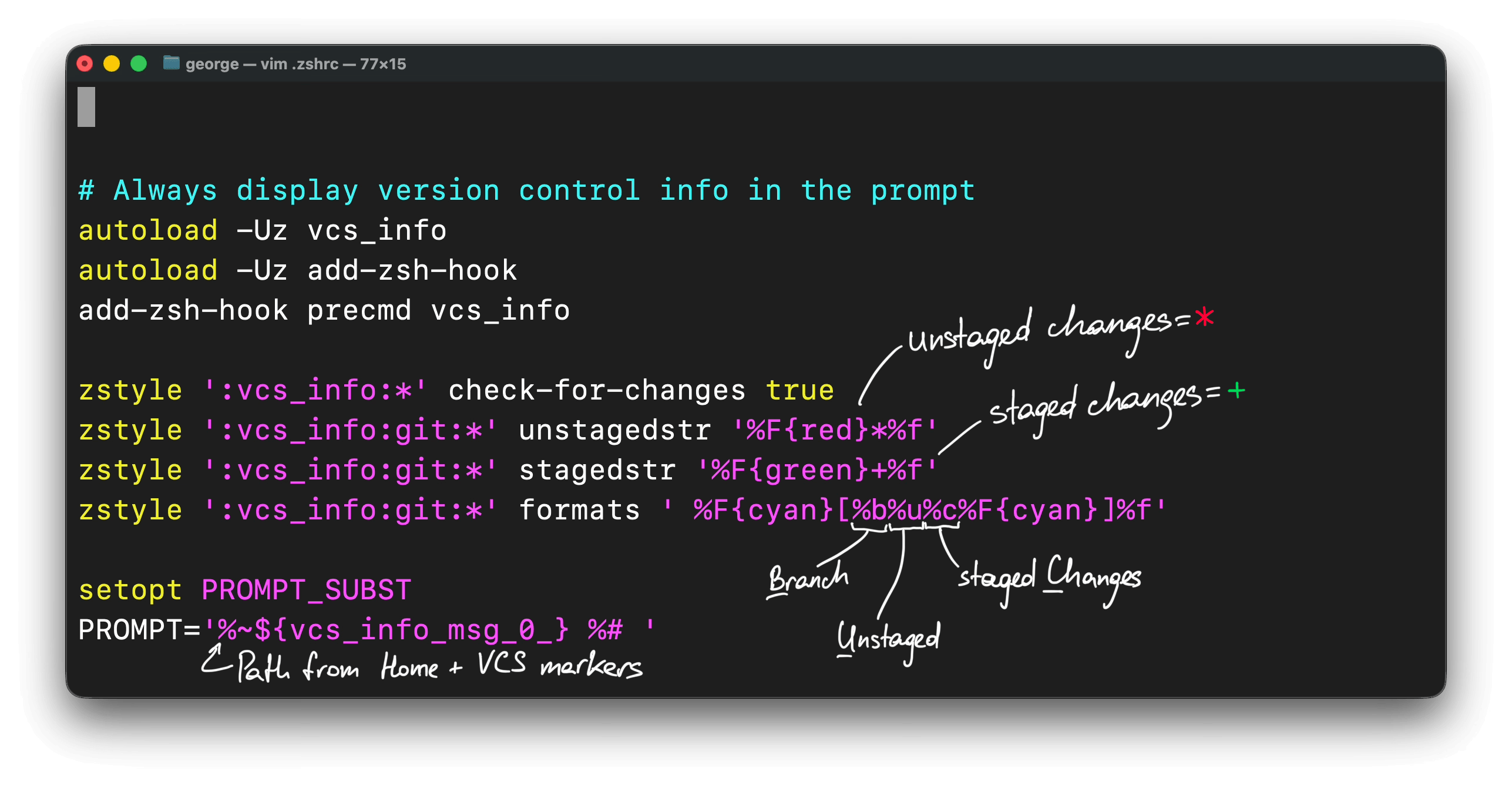
One thing that I found always missing from default terminal views into folders was if the folder is part of some git repo and which branch is currently checked out. Turns out, about 10 lines of .zshrc is enough to provide not only that, but also whether the current branch contains changes, staged and unstaged! I am sharing a script for zsh and its alternative for bash, which does not have a VCS integration and thus relies on native git commands. The result is branch name with + and * markers appended to the end of folder path, whenever the folder belongs to some git repository.
Zsh
# Always display version control info in the prompt
autoload -Uz vcs_info
autoload -Uz add-zsh-hook
add-zsh-hook precmd vcs_info

zstyle ':vcs_info:*' check-for-changes true
zstyle ':vcs_info:git:*' unstagedstr '%F{red}*%f'
zstyle ':vcs_info:git:*' stagedstr '%F{green}+%f'
zstyle ':vcs_info:git:*' formats ' %F{cyan}[%b%u%c%F{cyan}]%f'

setopt PROMPT_SUBST
PROMPT='%~${vcs_info_msg_0_} %# '
Bash
COLOR_CYAN='\e[36m'
COLOR_RED='\e[31m'
COLOR_GREEN='\e[32m'
COLOR_RESET='\e[0m'

__git_prompt() {
    local branch

    # If not a Git repository
    branch=$(git symbolic-ref --short HEAD 2>/dev/null) ||
        branch=$(git rev-parse --short HEAD 2>/dev/null) ||
        return

    GIT_PROMPT="${COLOR_CYAN}[${branch}"

    # Staged changes
    if ! git diff --cached --quiet 2>/dev/null; then
        GIT_PROMPT+="${COLOR_GREEN}+${COLOR_CYAN}"
    fi

    # Unstaged changes
    if ! git diff --quiet 2>/dev/null; then
        GIT_PROMPT+="${COLOR_RED}*${COLOR_CYAN}"
    fi

    GIT_PROMPT+="]${COLOR_RESET}"
}

__update_prompt() {
    GIT_PROMPT=""
    __git_prompt
    PS1='\w '"${GIT_PROMPT}"' \$ '
}

PROMPT_COMMAND="__update_prompt${PROMPT_COMMAND:+;$PROMPT_COMMAND}"